
Passenger app
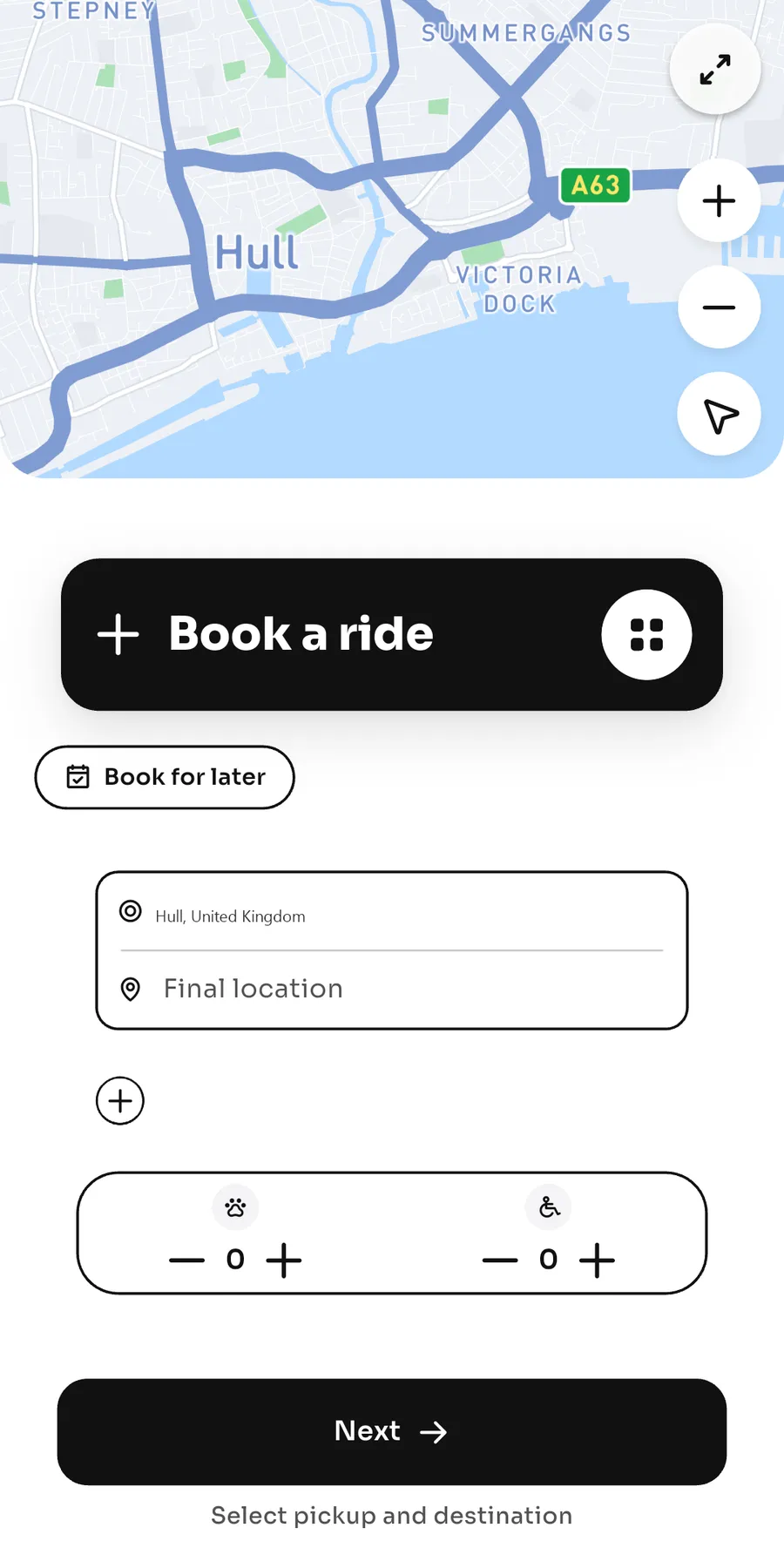
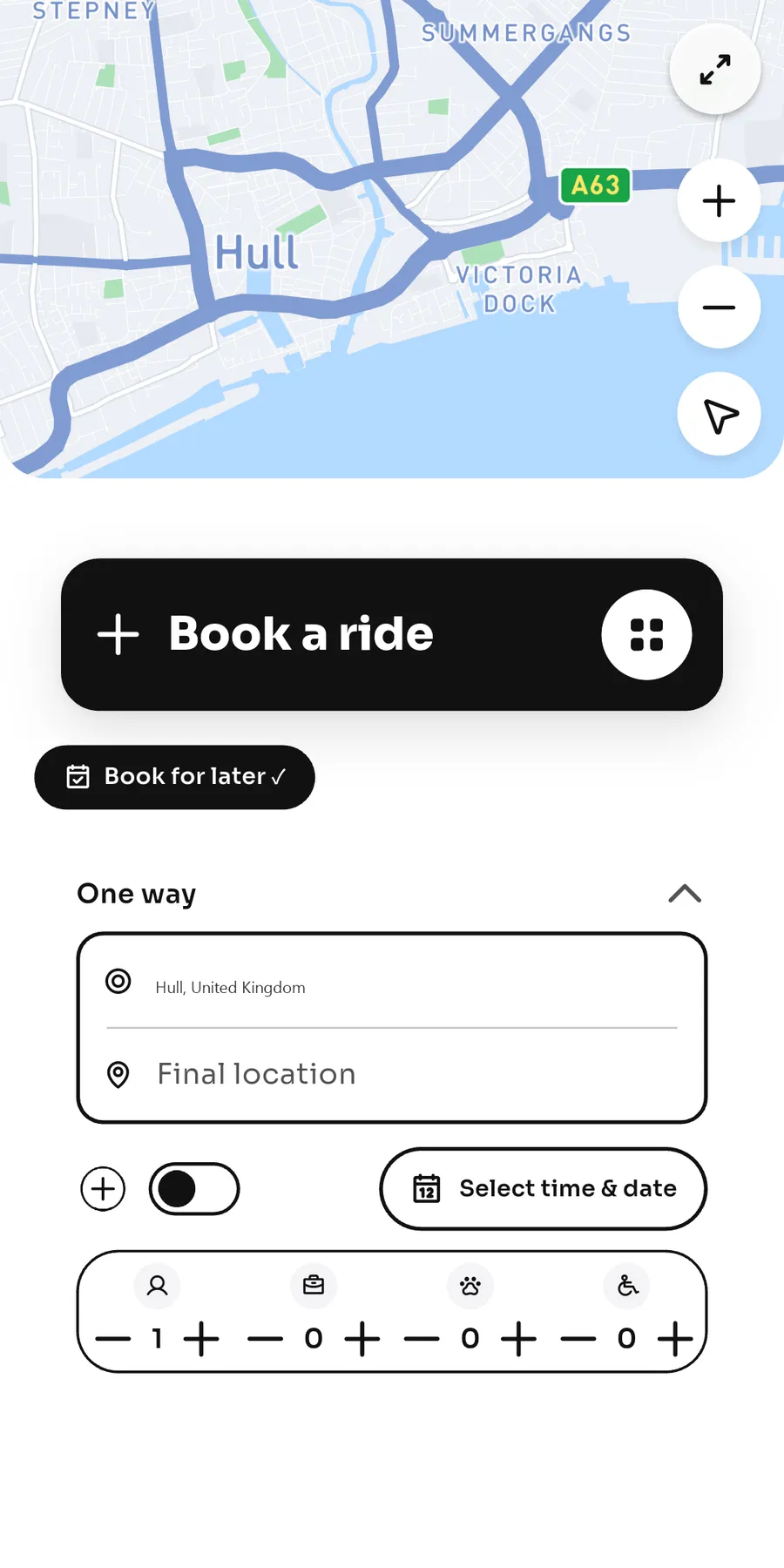
Riders book a trip now or for later, including passengers, pets, and wheelchair access.
Product
A right to use the Zergo passenger app, driver app, and admin panel. We host and maintain the system. The product is in active development. Pricing is on request.
Riders book a trip now or for later, including passengers, pets, and wheelchair access.
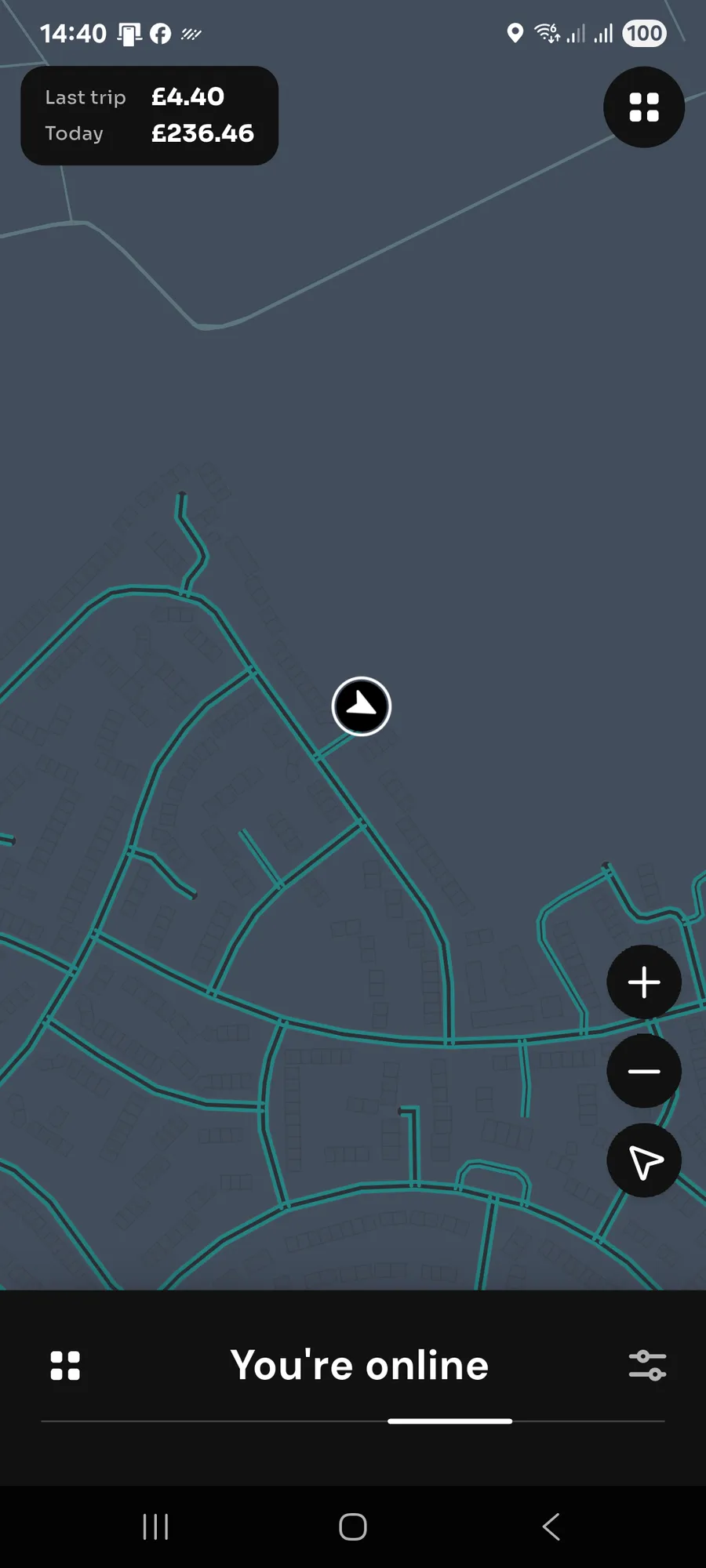
Drivers go online, accept jobs, and keep a wallet. Instant Cash and bank transfers are sent automatically.
An operations panel for jobs, driver documents, fares, and messages. Your name, logo, and colours are agreed at setup, not switched on in the app today.
You receive a right to use the system for your operation. You do not receive the source code or the backend. We host it and maintain it.
The apps in the gallery are the current Zergo system, one platform. A separate passenger list, driver list, and money flow for your company is agreed when we set you up.
Step 1
Request a demo and talk through your fleet.
Step 2
Agree the brand details you want on the apps.
Step 3
Run a pilot with your own drivers.
Step 4
Go live when you are ready. Timing is on request.
Riders book, see the fare first, follow the driver, and get the receipt afterwards.
A rider sets the pickup and the drop-off for an immediate trip, or picks a future date and time. A later booking can include a return. Extra stops can be added before confirming, and again during the trip.
The fare is shown before the rider confirms. If that locked price changes, they confirm the new figure. Classes run from Economy to Minibus. A wheelchair request raises the class, and pets can be included. A listed airport or racecourse uses a fixed fare.
The rider opens a map that follows the driver, with updates when the driver is on the way, has arrived, or the trip has started. Rider and driver can message each other during the trip. The rider can ask for another driver or end the trip at the current point.
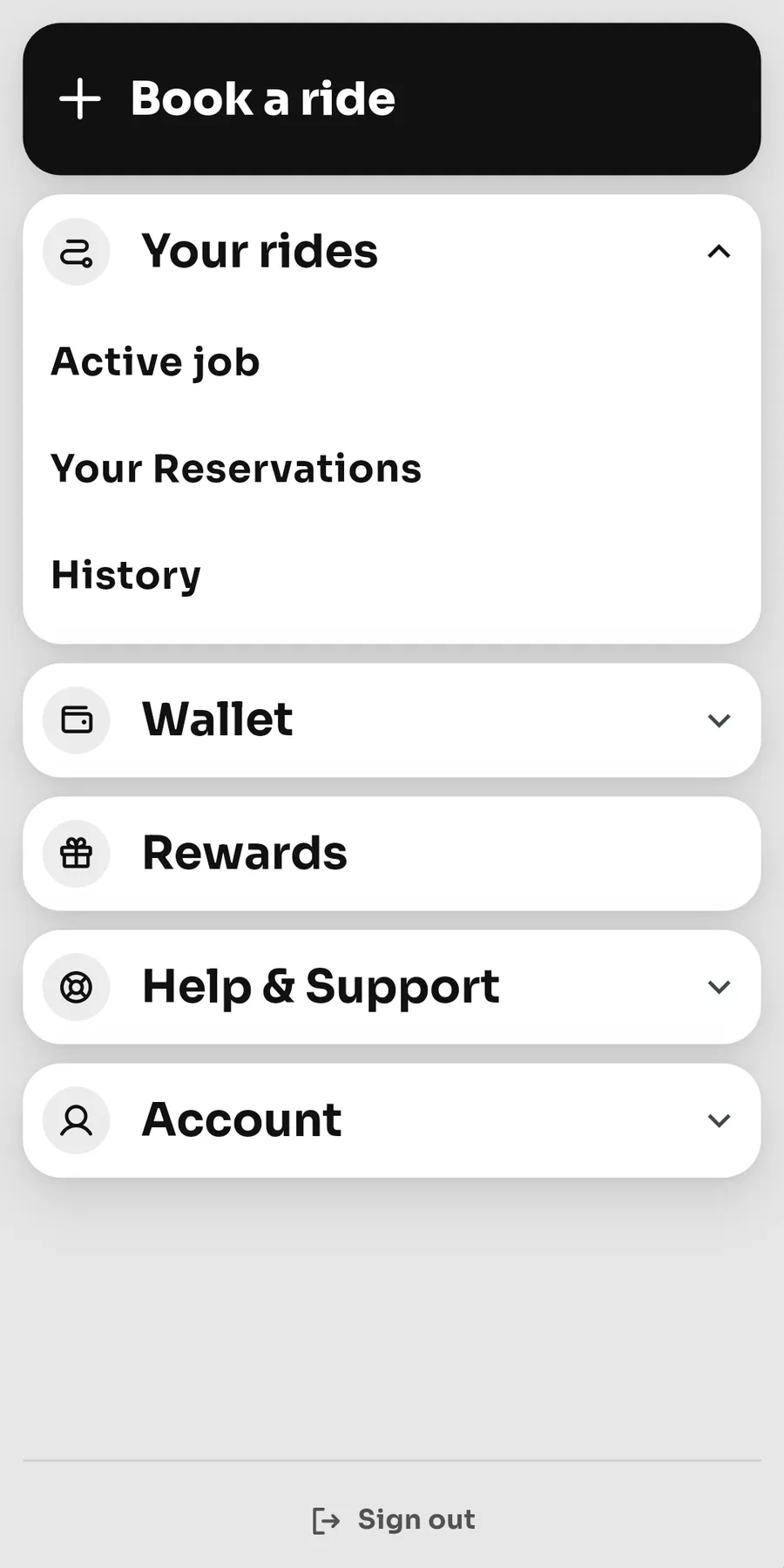
Past trips and upcoming bookings stay in the menu. A completed, paid trip has an invoice. The rider rates the driver.
Riders can create an account, save Home and Work, switch the app to dark mode, and delete the account. They can report a problem or chat with support. Trip updates arrive on the phone. Card payments are part of the booking flow. A card hold is placed before the trip, and the fare is collected when the trip is completed.
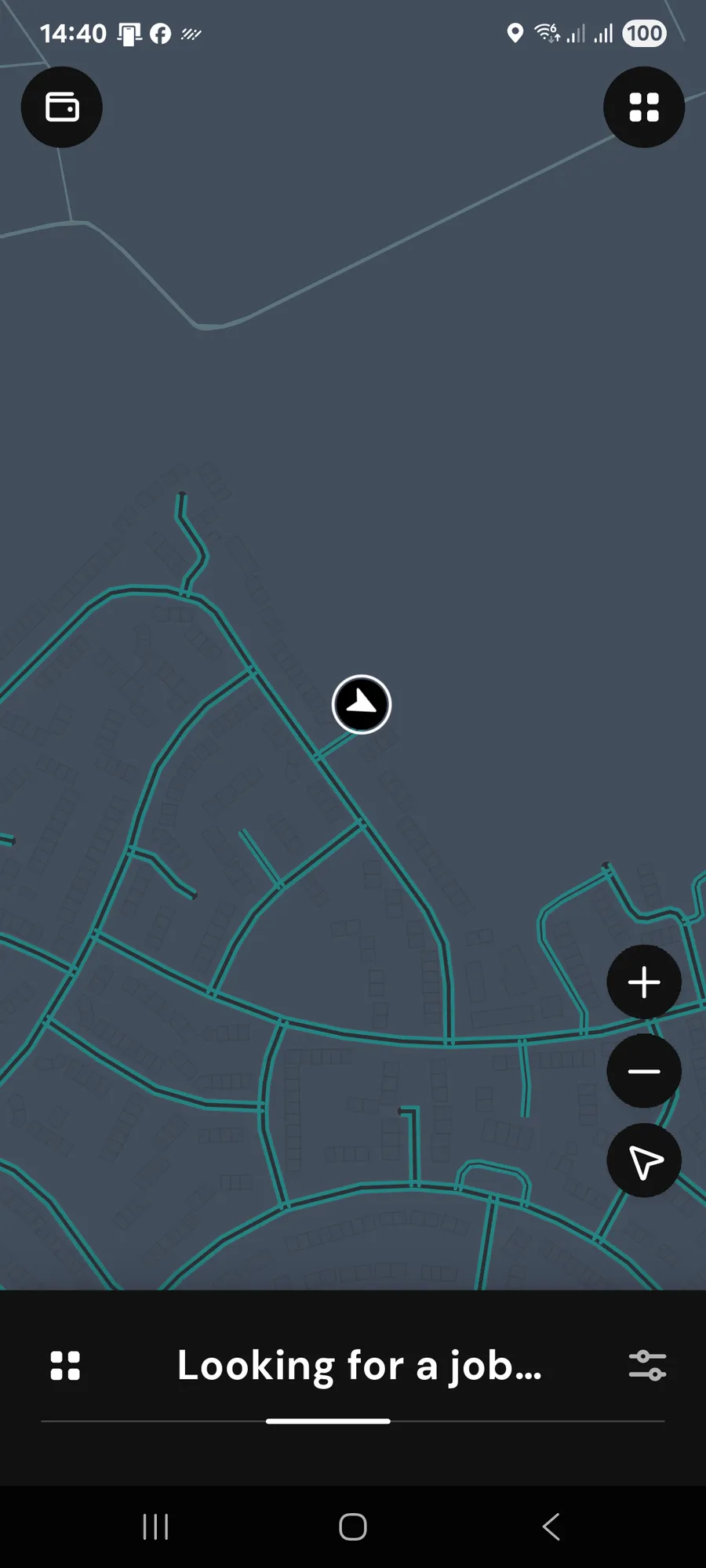
Drivers go online, take the job, run the trip, and cash out without waiting on the office.
A driver registers with email and password, then uploads the licence, vehicle licence, insurance, badge, and a selfie. The office approves the documents before the driver can take work. One control goes online, offline, or offline after the current trip.
An immediate job is offered to the driver to accept. Later jobs sit in reservations and on a calendar, and the driver accepts those too. The job card shows when a passenger is travelling with a pet.
Turn-by-turn navigation sits in the app. The driver marks On my way, Arrive, Person on board, each stop, then Complete. A stop can be marked as a no-show when the driver cannot continue.
The wallet shows what is available and what is still pending. Instant Cash and a bank transfer the driver starts are sent automatically, with no office approval. A Monday payout can run on its own. Payouts use a leading payment platform. Until payout setup is finished, cash out stays closed.
Drivers open invoices and a history of completed and cancelled trips, and they can rate the passenger. The app and the map switch between day and night. Job alerts arrive on the phone. A UK registration adds the vehicle.
Drivers can report a problem or chat with support from the app.
The office sees the work, approves drivers, sets the fares, and writes to passengers and drivers.
The dashboard counts drivers online, active trips, open later jobs, and trips finished today. Immediate jobs and later bookings are separate lists. A live map filters by city, who is online, and airport jobs. Reports list active, completed, cancelled, and no-show trips. Staff can also publish an open job that came in by phone.
Staff sign in with email and password. A super admin can add a login and choose a role. Driver documents are approved or rejected one by one, and the account turns on when they are approved. There is a list of passengers.
A super admin edits mileage, time, the airport flat fee, night, weekend, a pet fee, and the office share. The invoice register is in the panel. Driver payouts are sent automatically. Staff mark paid or reject a payout only when one is stuck.
Staff keep email templates, and passenger and driver accounts join the list on their own. A message can be queued and goes out in small batches. History shows what was sent, with addresses masked. People can unsubscribe from product updates. Service emails stay available. Support messages from the apps are answered in the same panel.
Dispatch, the fare, and driver payouts run without someone offering every job by hand.
An immediate job is offered to one nearby online driver, then the next. If nobody nearby takes it, other eligible online drivers can claim it. A later job is shown to drivers in the area until close to pickup, then offered one driver at a time. If the assigned driver is offline near pickup, it is offered out again.
The server prices the trip from distance, time, vehicle class, night, weekend, and pets, and it keeps its own figure. An immediate local trip can also rise with demand. Listed airports and racecourses use a fixed fare. The office share of an ordinary immediate fare is tiered.
Card payments are part of the booking flow. A card hold is placed before the trip, and the fare is collected when the trip is completed. When the trip is completed the driver’s wallet is credited. A return trip waits until the return is finished. Waiting past the free minutes is added to the fare. A late cancellation of a pre-booked trip can be charged to the saved card.
Passengers and drivers are reminded before a later pickup. A return leg is reminded and then put back on automatically. An expired licence, insurance, or badge removes the right to take jobs, with a warning beforehand. New and updated accounts join the email list.
Office-based dispatch and automated Zergo dispatch. No other product is named.
| Office-based dispatch | Automated Zergo dispatch |
|---|---|
| Staff offer each immediate job to a driver. | An immediate job is offered to one nearby online driver, then the next. Other online drivers can claim it if nobody nearby takes it. |
| Staff keep their own picture of who is free. | Drivers switch themselves online. The office sees drivers and jobs on a live map. |
| The fare is worked out by hand. | The fare uses distance, time, vehicle, night, and weekend. An immediate local trip can also rise with demand. |
| Paying a driver waits on someone in the office. | Instant Cash and a bank transfer the driver starts are sent automatically. A Monday payout can run on its own. Staff step in only if a payout is stuck. |
We can also send a test link for the apps on request. Prices are not listed on this page.
No. You get a right to use the system. The source code and the backend stay with us.
We host it and look after it. There is no published uptime promise on this page.
The screenshots are the current Zergo apps. Putting your name, logo, and colours on them is discussed at setup. It is not a switch in the app today.
Card payments are part of the booking flow. A card hold is placed before the trip, and the fare is collected when the trip is completed.
On request. We do not publish a fixed number of days.
United Kingdom first. Fares and driver payouts in the current apps are in pounds.
Free website audit for technical SEO signals, or ask Hull Online any UK business question — no signup required to start.
Subscribe for Hull Online news, opportunities, and product updates. Unsubscribe anytime.